



2-Year Warranty

Ships Out Fast

30-Day Easy Returns

Expert Support
Everything You Need to Digitize Old Tapes
A simple Video MAX setup made for preserving VHS, camcorder, and other analog memories without complicated software or confusing extras.

Video MAX Converter
Convert VHS, camcorder, DVD/VCR, and other analog video sources into digital MP4 files without using a computer.

AV & S-Video Cables
Connect older devices through RCA/CVBS or S-Video for a simple, direct transfer from tape to digital.

Remote & Power Adapter
Control recording easily and power the device right out of the box — no extra accessories needed.

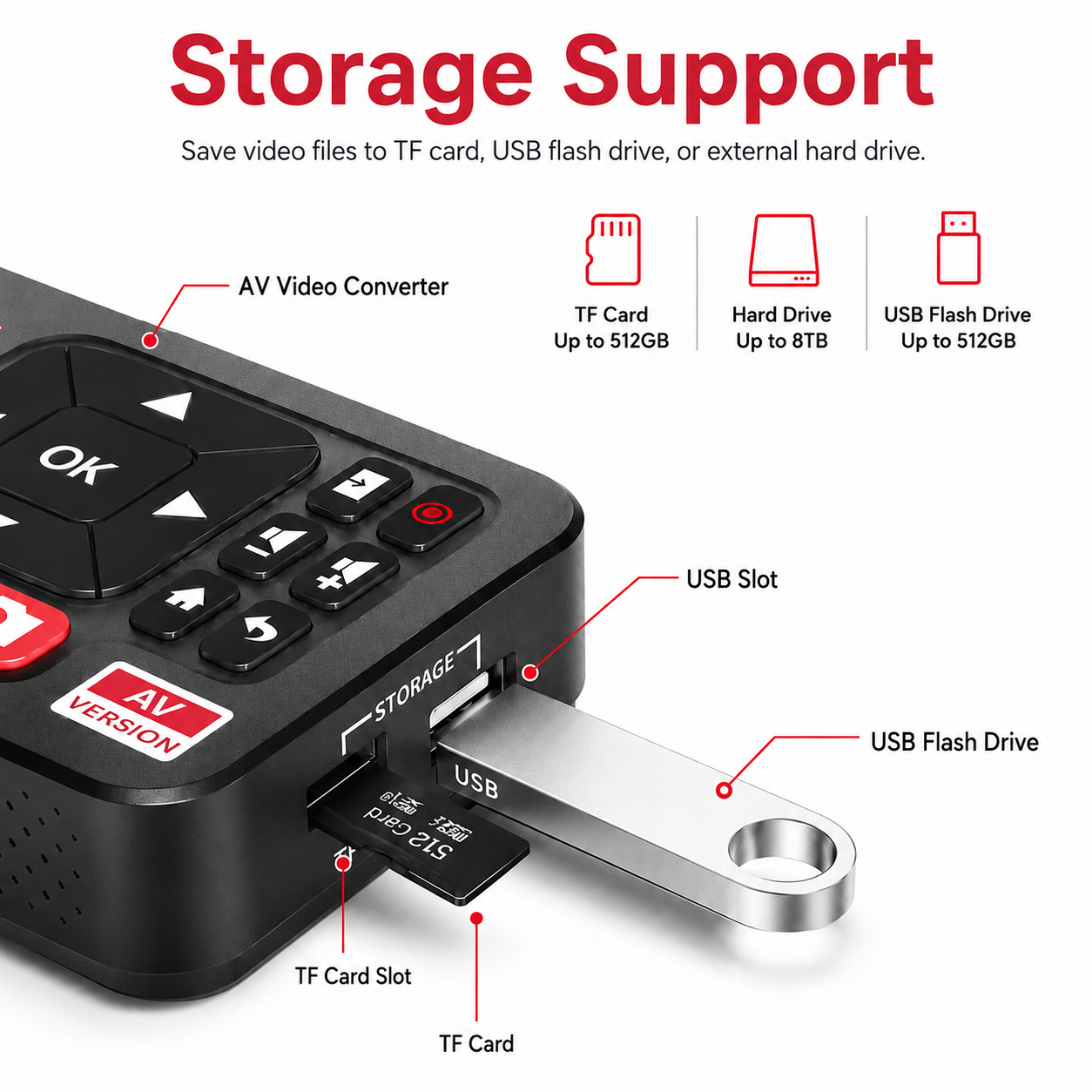
Free USB Storage
Save your converted videos directly to USB storage, then move them to your computer, TV, or cloud backup.
How Video MAX Converter Works
Connect your VCR, camcorder, or analog video source and save old memories as digital files in four simple steps — no computer or software required.

Connect Your Video Source
Plug your VCR, camcorder, DVD/VCR player, or other analog device into Video MAX using AV or S-Video cables.

Insert Storage
Add a USB flash drive, SD/TF card, or compatible external storage to save your converted videos directly.

Preview & Record
Watch your video on the built-in screen and press record to start capturing your footage in real time.

Save & Share Memories
Your footage is saved as a digital file, ready to view, back up, transfer, or share with family.
Save Your Old Tapes Before They Fade Forever
Video MAX converts VHS, camcorder, DVD/VCR, and other analog videos into digital MP4 files — no computer, no software, and no complicated setup.
